
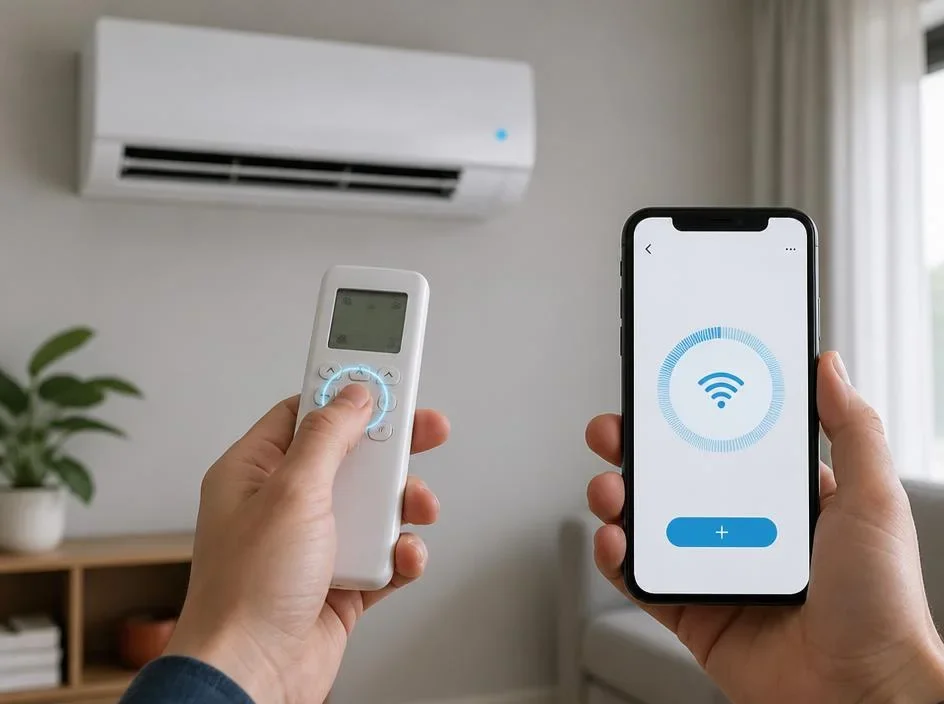
Modern homeowners often seek seamless ways to integrate their security devices with voice control systems. When you decide to learn how to connect Simplisafe to Alexa, you are essentially opening the door to a more efficient and responsive home ecosystem. This process allows you to arm your security system using simple voice commands, providing peace of mind during your busy daily routine. By bridging these two platforms, you enhance your home safety experience significantly, ensuring that your property remains protected while you enjoy the comfort of hands-free technology in every room.
To begin this transformation, ensure that your base station is active and your mobile application is fully updated to the latest version. Reliable connectivity is paramount, so confirm that both your security hub and your smart speaker operate on the same wireless network. Once these foundations are set, the integration becomes a straightforward task that elevates your domestic security management. By following the precise steps outlined below, you will successfully synchronize your devices and enjoy the luxury of a fully connected home that responds instantly to your spoken requests and security needs.
💡 Essential Preparation Checklist
- Ensure the base station is currently connected to your internet.
- Download the latest mobile application for your security device.
- Verify your voice assistant software is updated and ready.
- Confirm your accounts are registered and functioning correctly.
Configuring your security system for voice control
The initial phase involves enabling the dedicated skill within your voice assistant software interface. You must navigate to the skills section and search for your security provider to establish a secure link between your accounts. This act creates a bridge that allows the platforms to communicate effectively, passing command signals from your speaker to your alarm hardware without delays or complex technical configurations.
After finding the specific skill, select the enable option to proceed with the authentication process. You will be prompted to log in using your security credentials to authorize the connection. This safety measure ensures that only you maintain control over your premises. Once authorized, the systems will automatically detect your sensors and base station, readying them for immediate interaction and monitoring.
⚠️ Security Verification Tip
Always use a strong, unique password for your account to prevent unauthorized access. You can explore more on system validation protocols to further understand the importance of digital integrity within your connected household environment today.
Advanced settings and voice code requirements
To maximize your safety, the system often requires a specialized voice code for disarming the alarm. This prevents strangers from shouting a command through an open window to deactivate your security. When you connect Simplisafe to Alexa, you must define this code in your settings, ensuring it remains confidential while being easily remembered by your trusted family members.
Test the arming commands first to ensure your hardware responds to the Home or Away requests. After confirming the arming status works, perform a test disarm using your voice code. This practice builds confidence in your setup and reveals any potential connectivity glitches that might require a quick restart of your devices or network router connection.
Effective home automation requires diligent maintenance of your digital lifecycle. Just as you monitor your security, learn about the computer system validation lifecycle to maintain top-tier performance for all your smart devices and integrated systems within the home environment.
Troubleshooting common connectivity challenges
Occasionally, you might find that the command does not trigger an immediate response. Start by checking your internet stability, as fluctuations in signal strength often prevent accurate communication between devices. If the issue persists, try disabling and re-enabling the skill in your application. This refresh action often clears cached errors and forces a new handshake between the services.
If the problem remains unresolved, verify that you have not recently changed your network credentials or security login details. Any modification to these sensitive access points will break the link and necessitate a fresh configuration. Keeping your software updated ensures that new patches or security improvements are applied, maintaining the robustness of your smart home protection layer.
✅ Proactive Maintenance Steps
Perform a monthly audit of your smart home connections to ensure every component remains synced. For those interested in secure transaction processing in other areas, such as using relaypay crypto payment services, remember that secure authentication remains the cornerstone of digital safety in every modern connected scenario.
Optimizing your voice command routines
Once you are comfortable with the basics, consider creating routines that trigger multiple actions simultaneously. For example, a single night command could arm your security system, turn off your lights, and lock your doors. This level of automation simplifies your evening transition, making your living space feel both more secure and incredibly convenient every single night.
Experimenting with routines allows you to tailor your smart environment to your specific lifestyle. Ensure your voice commands are distinct and clear to avoid accidental triggers. When your system works in harmony, you enjoy the full benefits of a truly modern security integration that adapts to your needs and provides protection exactly when required.
Summary of Integration Success
- Sync the cloud accounts via the official skill portal.
- Establish a unique, private voice code for disarming actions.
- Maintain stable Wi-Fi connections for all active security hubs.
- Create custom daily routines for enhanced home convenience.
- Update your software regularly to benefit from security patches.
In conclusion, taking the time to properly configure your smart alarm with your virtual assistant is a rewarding project for any homeowner. Whether you want to streamline your nightly routine or simply enjoy the convenience of controlling your protection layers with your voice, this setup delivers immense value. Always stay vigilant about your credentials and keep your software environment updated to ensure your home remains a safe sanctuary for you and your family as you continue to expand your collection of intelligent devices and helpful automated features.
