
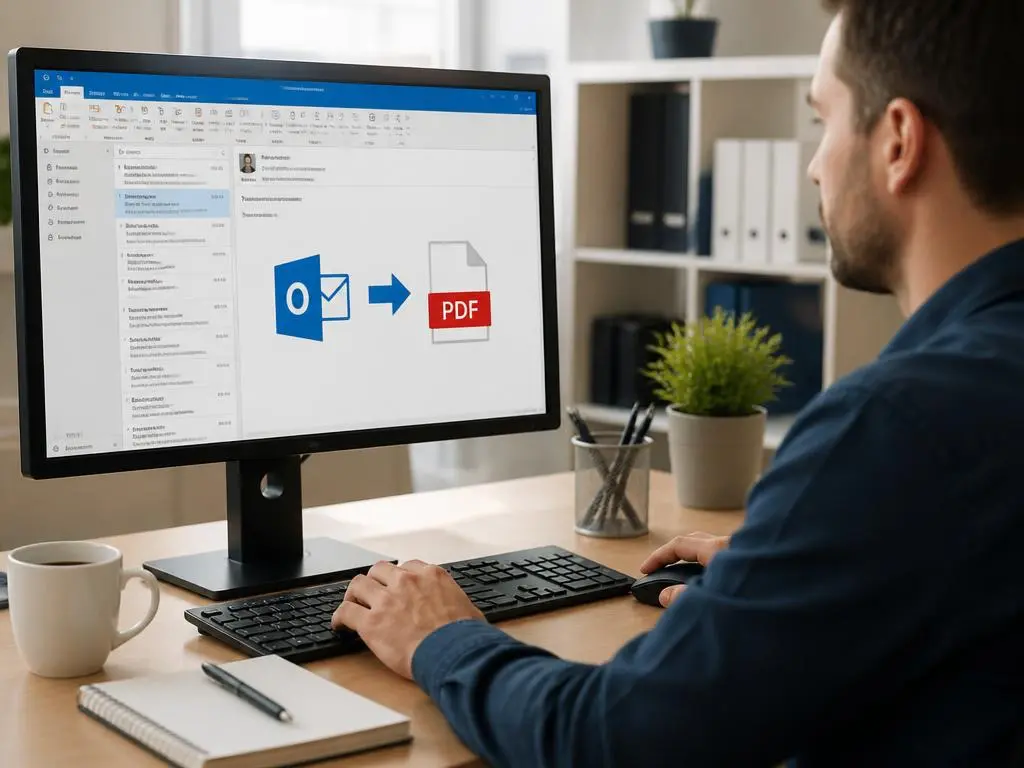
Learning practical ways to save a outlook email as pdf effectively is a vital skill for modern office professionals. Digital correspondence often requires permanent archiving for legal or organizational documentation purposes beyond the standard inbox storage limits. By converting your messages into universal formats, you ensure that vital records remain accessible regardless of future software updates or account changes. This guide explores multiple reliable methods to handle your data preservation needs, providing you with flexible choices depending on your technical preferences, operating system constraints, and the volume of communication you need to process regularly for archival.
Many users struggle when they attempt to maintain organized file structures while managing incoming correspondence. Moving beyond simple printing options allows for better searchability and easier sharing of specific thread conversations with team members. Whether you rely on desktop applications or browser-based interfaces, capturing your digital footprint with accuracy remains paramount for productivity. This approach ensures that important threads are protected from accidental deletion or server-side synchronization errors that frequently occur in busy corporate environments. By mastering these export techniques, you gain complete control over your sensitive information while streamlining your daily workflow significantly.
Quick Summary of Export Options
You can choose several paths to convert files:
- Native print-to-PDF functions within desktop software.
- Browser-based save commands for web versions.
- Specialized third-party plugins for bulk processing.
Utilizing the native print function for documents
The most straightforward approach involves the built-in print interface found within your desktop software. When you select a specific message, the print menu offers a virtual printer option designed to generate electronic files instead of physical paper copies. This process is seamless, requiring no additional installations while preserving the original layout, font styles, and embedded images. Simply choose the option labeled as a document creator to initiate the conversion. It is an excellent choice for individuals who prioritize simplicity and security, as the process remains entirely local to your computer hardware, keeping private correspondence safe from third-party server exposure during the actual conversion phase.
Once you select the print option, a dialog box prompts you to choose the destination folder for your new file. This allows for immediate categorization of your records into structured folders, which helps in maintaining a tidy digital workspace. You might want to consider digital signage integration if you are managing informational displays that need to show updated project status logs or client communication archives. By keeping your naming conventions consistent, you ensure that every archived conversation is easy to find later. This methodical habit prevents clutter and saves precious time during critical audit periods when documentation must be retrieved quickly for review purposes.
💡 Pro Tip
Always double-check that your headers and footers are included if you need to maintain a clear audit trail for compliance. These small details often distinguish a professional record from a casual capture of the conversation thread.
Advanced techniques for web-based interface users
Users who access their mail through modern web browsers enjoy a slightly different experience compared to traditional desktop client users. While the print menu is still available, browsers often provide more control over how page elements are rendered, including background graphics or hidden metadata. You should navigate to the message viewing pane, click the ellipsis menu, and select the print command directly from the web browser toolbar rather than the interface itself. This ensures that the page displays exactly as it appears on your screen, preventing unwanted layout shifts that can occasionally happen with internal command buttons.
If you manage multiple campaigns, you might find it useful to check the best signage options to display internal communications. Managing digital assets effectively requires attention to detail, especially when archiving high-stakes business emails. When you save these files, ensure you are using clear filenames that include dates and subject identifiers. This logical naming scheme allows you to sort records effortlessly in your storage system, providing a robust history that supports your ongoing business operations while reducing the risk of data loss due to improper categorization during busy project timelines.
Managing high volumes of data with bulk tools
When you need to process large numbers of messages, manual printing becomes inefficient and time-consuming. Instead, look for specialized tools or plugins that allow for batch exportation of entire folders into searchable files. These utilities often support features like merging multiple emails into a single document or automatically renaming files based on the sender and date. Investing time in setting up these automation tools can drastically reduce the overhead associated with information management tasks. It allows you to focus on strategy rather than repetitive administrative work, which is essential for scaling operations efficiently in competitive industries today.
Key Takeaways for Productivity
- Automate batch tasks to save significant time.
- Use descriptive names for every single file.
- Prioritize local storage for maximum security.
For teams operating in the crypto space, maintaining clear communication logs is vital for regulatory requirements and security. You can review crypto marketing tactics to understand how transparent communication workflows support broader brand growth and community trust. By archiving emails effectively, you demonstrate a commitment to accountability that partners and investors highly value. Ensure that your archival process includes a redundant backup strategy in case of local hardware failure, as lost communication records can represent significant setbacks in fast-moving professional environments where every interaction serves as a critical point of reference for future planning.
Security considerations for sensitive correspondence
Whenever you convert sensitive data into a portable document format, you must consider the security implications of your storage choices. PDFs are widely used, but they can be easily shared or copied if not properly encrypted or stored in restricted folders. Always ensure that your archives are kept within secure, backed-up environments that require authentication for access. If the information is highly confidential, look into applying password protection or digital signatures to your files immediately after saving them. This simple extra step adds a layer of defense against unauthorized viewing by personnel who do not have clearance for specific project details.
Developing a consistent routine for handling these files will serve you well over time. When you explore crypto marketing strategies, you realize that protecting internal strategy emails is just as important as protecting public outreach plans. Treat your inbox as a repository of knowledge rather than just a communication channel. By applying these effective conversion methods, you transform your disorganized inbox into a reliable, searchable library of information. This proactive stance on data management distinguishes high-performing professionals from their peers, allowing for better decision-making, faster retrieval of historical facts, and enhanced protection of company assets across all your professional digital platforms.
Effective documentation is the backbone of any successful organization. Do not let your most important conversations vanish into the digital abyss of an overcrowded inbox.
Ultimately, the goal is to create a workflow that feels natural to your existing habits. Start by experimenting with the native print functions today. Once you are comfortable, you can explore the advanced automation tools that fit your specific business requirements. Consistency is the secret ingredient that ensures your archive remains useful years from now. By dedicating a few minutes each week to saving your correspondence, you provide yourself with a safety net that protects your professional reputation and gives you a significant advantage in managing your complex work responsibilities effectively and with absolute confidence.
