
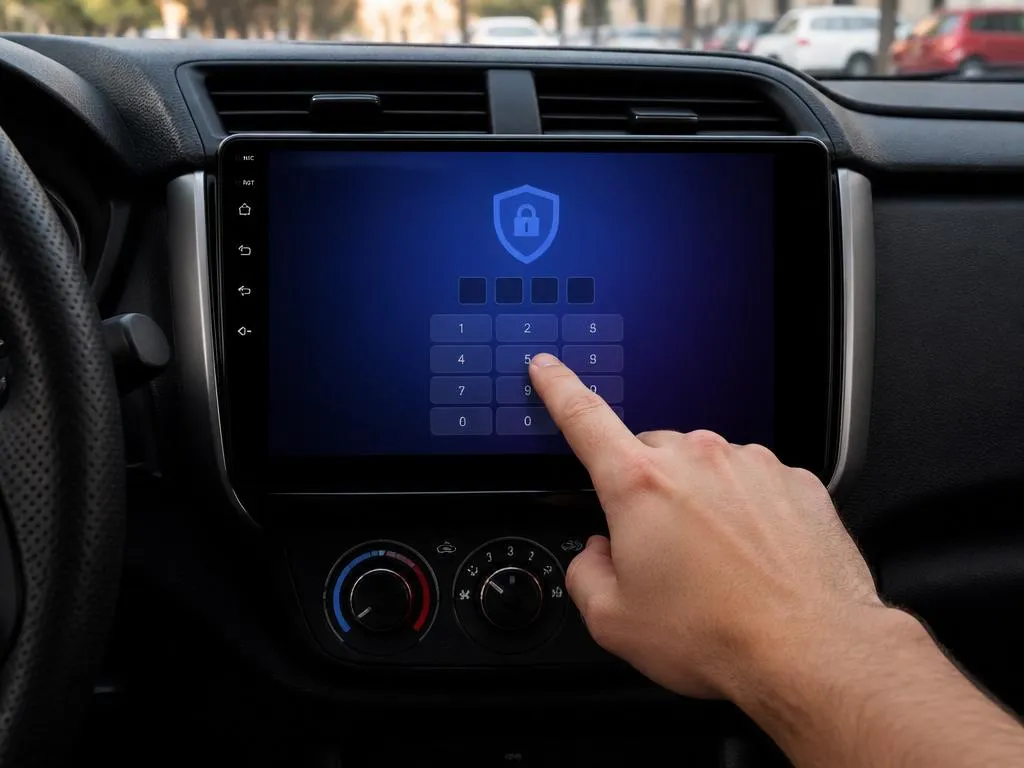
Modern smart car entertainment systems bring immense convenience, but accessing their advanced configurations often requires a secret code. Discovering the exact android radio password for your specific head unit model is essential if you want to unlock restricted system settings and customize the performance of your vehicle console.
Many drivers feel frustrated when locked out of developer features or steering wheel key mapping setups. This comprehensive guide will walk you through the most common factory reset codes, troubleshooting options, and system safety procedures to ensure your car dashboard remains fully functional and deeply personalized.
What is an android radio password and why do you need it?
Smart car entertainment consoles are built on open-source platforms, but manufacturers restrict administrative access to prevent accidental software corruption. These deep security restrictions are locked behind a specific android radio password that acts as a secure barrier. Gaining entry allows drivers to alter critical settings that are otherwise completely invisible to standard daily users.
Accessing these configuration options is highly beneficial for motorists who want to integrate custom hardware components or adjust standard features. For instance, you might want to modify your boot screen animations, change the radio frequencies to match your current country, or align advanced audio equalization parameters to improve your overall in-car acoustic performance.
Additionally, configuring the communication link between your car computer and dashboard interface requires administrative privileges. Without entering the correct passcode, you cannot calibrate your standard physical buttons or modify the active decoding protocols. This makes the master security code the ultimate tool for fully integrating any aftermarket entertainment system into your vehicle.
Common default codes for popular Android head units
Most generic dashboard units manufactured overseas share a standardized set of developer access keys. Instead of creating unique credentials for every individual hardware model, manufacturers rely on predictable numeric sequences during assembly. This makes it incredibly easy to find a matching code if you know the physical board configuration of your current receiver.
These universal combinations typically consist of repetitive integers or straightforward numerical orders that are simple to input via the touchscreen. While some premium brands establish unique administrative keys, most budget systems use four-digit or six-digit sequences. Knowing these standard sequences will save you hours of trial and error when updating your dashboard.
Let us examine the most widely used manufacturer codes across different electronic brands in the automotive marketplace. If your initial attempt does not succeed, you can systematically try these verified combinations until the restricted system screen opens. Always remember to input them carefully to avoid activating built-in security lockdown delays.
📋 Common Factory Codes by Manufacturer
| Receiver Brand / Chipset | Default Password List |
|---|---|
| Joying / Pumpkin Units | 3368, 126, 8888 |
| Dasaita / Hotaudio | 126, 3711, 7890 |
| Eonon / Atoto Stereos | 0000, 1617, 3506 |
| Generic MTK / Allwinner | 123456, 8888, 5678 |
How to access the factory settings on your device
Navigating to the protected administrative screen is a straightforward process once your vehicle is safely parked. First, turn on your ignition to ensure the entertainment console receives continuous electrical power. Tap on the main application drawer and select the gear icon to open your general system settings dashboard on the touchscreen panel.
Scroll downward through the menu options until you find the specific tab labeled factory setup or developer options. Clicking this option will trigger a numeric keypad popup requesting a secure passcode. Carefully input your specific manufacturer code using the on-screen keys, then confirm the entry to display the unlocked master dashboard screen.
It is vital to recognize that entering this system level allows you to alter low-level software instructions. You must avoid tapping random buttons or changing variables unless you fully comprehend their function. Creating a manual record of your original configuration before saving new settings prevents common operating errors during this deep customization process.
✅ Step-by-Step System Navigation Tip
Ensure your vehicle is in Park (P) with the handbrake engaged. Some safety-focused Android systems disable access to the factory setting prompts entirely if they detect that the vehicle is currently in motion, preventing driver distraction during setup.
Troubleshooting when your android radio password fails to work
Sometimes, standard default combinations will fail to unlock your dashboard software because of custom merchant firmware updates. When this occurs, do not panic or keep entering random numbers repeatedly. You can often locate custom security codes on the official online forums of your specific device manufacturer or inside user communities.
If you are completely locked out of the dashboard interface, performing a hard reboot may resolve the issue. Locate the tiny pinhole labeled RST on the front bezel of your receiver frame. Insert a thin metal paperclip into this hole, press gently for ten seconds, and initiate a complete factory reset to clear custom credentials.
In situations where physical resetting does not restore default access, a complete firmware reinstallation becomes necessary. You will need to download the correct system image from a reliable source. Exploring alternative tech solutions can be as fascinating as solving complex riddles like the famous modern digital puzzles that challenge internet users today.
Finding the developer options passcode on Android stereos
In addition to the standard factory menus, your multimedia system contains hidden developer settings designed for advanced debugging. Accessing these configurations requires a distinct security code separate from your main utility keys. Unlocking this menu is highly useful if you want to activate USB debugging or modify animation scale factors on screen.
To access this developer panel, navigate to the system information screen and find your device build number. Tap this build number repeatedly seven times until a message indicates you are close to unlocking the console. Enter the specific developer credentials, which are frequently simplified sequences like double zeros or basic administrative patterns.
⚠️ Critical System Warning
Never toggle options like « Force GPU rendering » or modify pre-allocated RAM configurations unless you are a qualified developer. Incorrect developer modifications can cause severe operating system boot loops.
Customizing your car stereo after unlocking system parameters
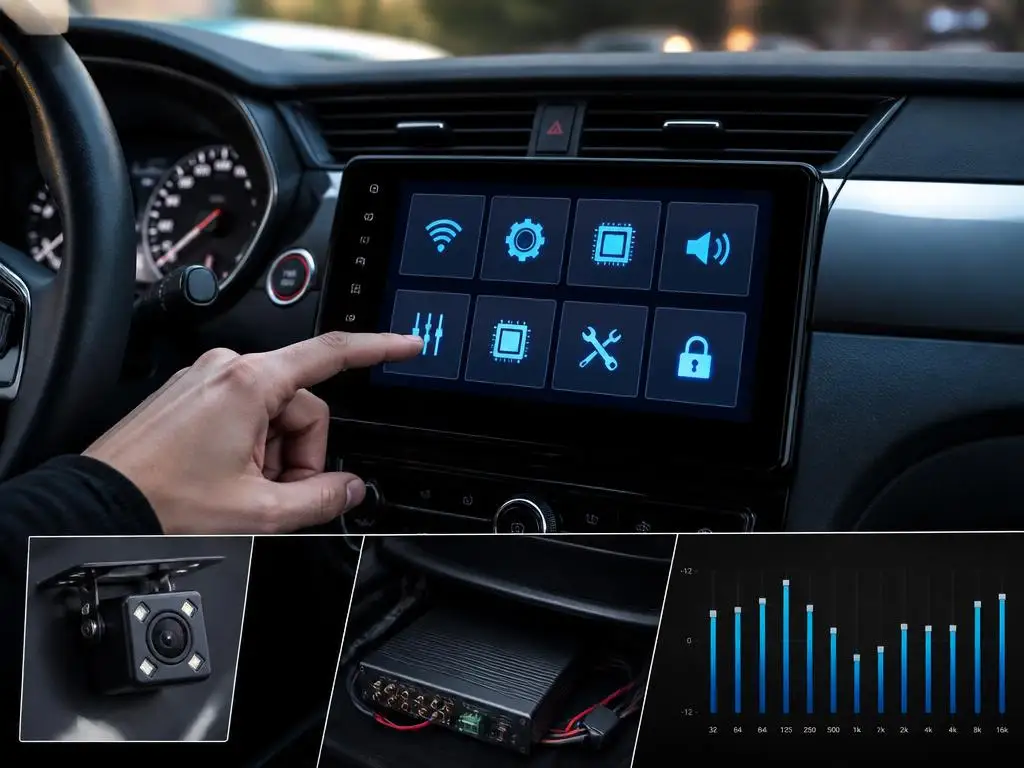
Once you successfully bypass the initial access screen, a wide range of functional customizations becomes available to you. The most popular modification is updating the default boot logo to display your car manufacturer emblem. This subtle adjustment makes your aftermarket dashboard receiver look like an expensive factory-installed console direct from the dealership.
Unlocking the unit also allows you to reconfigure the default radio tuner bands to match global standards. If your receiver was imported, it might search for frequencies that are not utilized in your current location. Changing these parameters ensures clean signal reception and allows you to enjoy local music stations without annoying audio static.
Furthermore, you can manually configure the dedicated hardware buttons situated on your dashboard panel. If a button does not trigger the correct application, mapping its physical pathway fixes the problem. This level of customization ensures that every single interactive control works precisely according to your personal driver habits and comfort.
💡 Top Benefits of Unlocking System Configurations
- Personalize the boot animation with custom vehicular logos.
- Calibrate manual volume dials and physical button actions.
- Adjust radio frequency bands to match domestic broadcasting standards.
- Enable integration with third-party rear camera hardware.
Choosing the correct CANbus protocol for your vehicle
Modern vehicles use an integrated communication network to share operational data between different mechanical sensors and cabin controls. Your smart dashboard system communicates with this electronic network using a specialized physical decoder box. To enable seamless data integration, you must configure the internal dashboard settings using a highly secure connection menu.
Accessing these decoder options allows you to map your steering wheel keys to control volume levels or track selection. If your steering wheel controls do not respond, you probably need to select a different manufacturer profile. This ensures the digital commands sent from your steering wheel are accurately interpreted by your smart receiver software.
Selecting the perfect decoder settings requires careful technical planning, much like deploying essential business strategies to establish authority in a competitive local industry. Choosing the correct communication profile ensures that your dashboard screen displays real-time vehicle diagnostics, air conditioning temperatures, and open-door warnings without any system lag.
Essential tips to avoid bricking your smart radio console
Modifying hidden system settings carries a significant risk of bricking your device if you change the wrong variables. Some options control internal voltage levels and screen resolution parameters that are incompatible with your current display. Altering these values without expert guidance can render your touch panel completely blank and unresponsive to input.
To prevent permanent hardware damage, always capture clear photographs of your original settings screens before making any adjustments. Having a visual reference of the factory parameters allows you to easily restore the working setup if things go wrong. Taking structured precautions is vital for any successful configuration process or local business scaling operation.
Additionally, avoid installing random update files that you discover on unverified community forums. Many generic head units look identical on the outside but contain entirely different internal motherboard revisions. Installing incompatible software packages can corrupt your system bootloader, turning an expensive dashboard entertainment screen into a useless piece of plastic.
Recovering system access without losing your media data
If you forget your custom security pin, finding a way to restore system access without deleting your stored music files is essential. Fortunately, most smart receivers separate the main Android storage system from the core administrative settings partition. This layout allows you to clear security locks while keeping your private media collection fully intact.
Before initiating a recovery procedure, try connecting an external computer keyboard to your receiver using an open USB port. Sometimes, keyboard inputs bypass touchscreen software glitches, letting you access the recovery menu directly. This method is highly effective for regaining control over your media system without initiating a destructive complete format process.
Maintaining access to system options allows you to manage third-party software updates safely. Keeping your applications organized and updated is a crucial practice for achieving a higher market share in the digital environment. Smooth performance ensures that your navigation apps load instantly and your offline music plays without interruption.
⚙️ System Safety Checklist
Follow these simple recovery safety measures to safeguard your media files:
Frequently asked questions about car system passwords
Can I change the default factory code on my vehicle receiver to a custom combination? Generally, manufacturers hardcode these access pins directly into the system firmware, making them impossible to modify. This design ensures that technicians can always troubleshoot the system using universal codes regardless of previous ownership changes or system settings alterations.
Why do my system settings keep reverting to factory defaults every time I turn off the car? This issue usually indicates an incorrect physical wiring installation where the continuous memory wire is disconnected. If your receiver loses battery power when the ignition is turned off, it cannot store your custom changes or secure access codes.
What should I do if my model is completely unbranded and none of the standard codes work? You can download a system info application from the official store to identify the exact motherboard manufacturer. Knowing the underlying hardware chip, such as Allwinner or Rockchip, will help you locate the matching master system key.
Unlocking the full potential of your smart vehicle interface
Entering the proper configuration parameters allows you to enjoy an optimized entertainment experience on the road. By modifying the underlying CANbus protocol settings, you integrate your dashboard seamlessly with your vehicle diagnostic sensors. This reveals valuable engine metrics, real-time tire pressure readings, and precise fuel efficiency statistics right on your central console screen.
In addition, unlocking administrative configurations allows you to install custom launcher interfaces that replace the boring default layouts. You can design an elegant home screen featuring interactive GPS widgets, direct music player access, and shortcuts to your favorite driving apps. This transforms your standard car interior into a modern, high-tech digital cockpit.
Ultimately, understanding how to manage your vehicle receiver security settings keeps you in complete control of your hardware. By following the correct troubleshooting steps and using the verified codes safely, you ensure your entertainment system operates smoothly. Enjoy the freedom of a fully customized dashboard system that makes every single journey enjoyable.
🚗 Final Expert Tip for Car Stereo Owners
Keep a small physical card inside your car glove box containing your active radio manufacturer code. If your dashboard unit ever requires a quick software reboot or a calibration adjustment during a long road trip, you will have immediate access without needing an active internet connection to search for codes!
